

When you run a small practice with one or two doctors, most clinic software feels like it was built for someone else. Big hospital systems bury you in modules you will never open, while the cheapest tools leave out the basics you rely on daily. The right small clinic software sits in between: everything a small practice genuinely needs, and nothing it does not. This guide cuts through the noise to show what a two-doctor clinic actually requires from its software, what you can safely ignore, and how to avoid both overbuying a hospital-grade system and underbuying a tool that cannot keep up. Get this balance right, and the software quietly runs your clinic instead of getting in your way.
The Small-Clinic Problem: Too Much or Too Little
Small practices get squeezed from both directions. On one side sit heavy, hospital-grade platforms designed for large multi-department setups, packed with features, roles and complexity a two-doctor clinic will never use, and priced and structured accordingly. On the other sit bare free tools that cover a fraction of what you need and quietly push you to upgrade. Neither fits. What a small clinic actually needs is a focused tool that does the core jobs well, is simple enough to run without an IT person, and is priced in a way a small practice can budget. Recognising that you are looking for fit, not size, is the first step.
What a Small Clinic Genuinely Needs
Strip it back to what a one or two-doctor practice uses every day, and the list is short and clear:
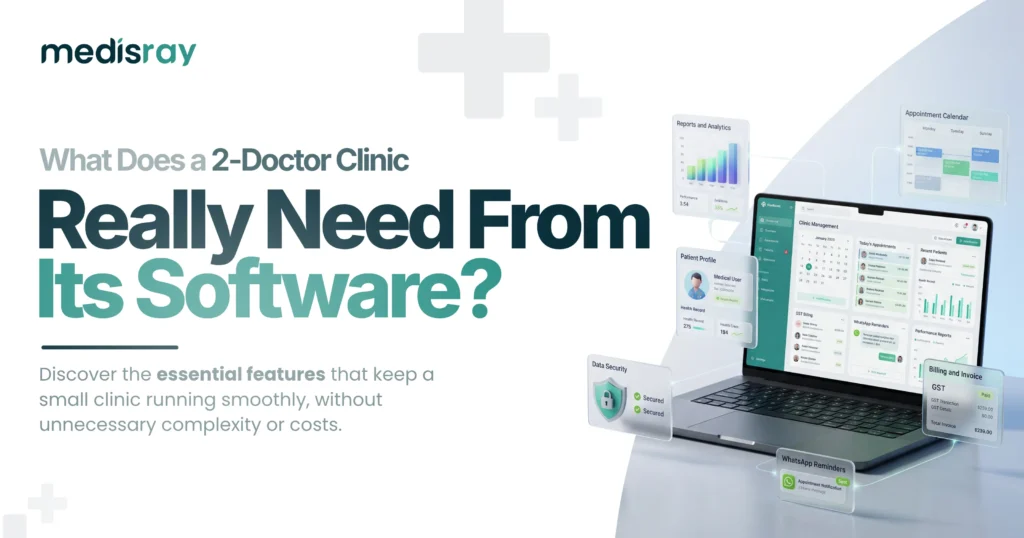
- Appointments and reminders. Online, phone and walk-in bookings in one calendar, with reminders to cut no-shows.
- Patient records. History, prescriptions and reports that open in seconds and are easy to read.
- GST billing. Compliant invoices and receipts without manual effort, plus daily collection reports.
- Patient messaging. WhatsApp or SMS reminders and follow-ups.
- Simple reports. Who came, what you earned, which hours are busy.
- Security and data export. Encryption, role-based access, and the freedom to export your data anytime.
Do these well and a small clinic runs smoothly. Everything beyond them is a bonus, not a requirement.
What You Can Safely Skip
Just as useful is knowing what you do not need. A two-doctor clinic rarely needs complex multi-department workflows, elaborate role hierarchies for dozens of staff, inpatient or ward management, or sprawling modules built for hospitals. Paying for and navigating features like these is a cost in both money and time, and they can make the software slower and harder to use for no benefit. The skill in choosing small clinic software is as much about ignoring the impressive-sounding extras as it is about securing the essentials. A shorter, sharper tool beats a vast one every time for a small practice.
Why Simplicity Is a Feature, Not a Compromise
For a small clinic, ease of use is not a nice-to-have; it is central, because you and your small team are the ones using the software all day, with no IT department to lean on. A tool you can learn in a day, that opens a record in seconds and raises a bill in two clicks, saves time on every single visit. A powerful but complicated system, by contrast, taxes you constantly. So, treat simplicity as a real feature worth choosing for, not a sign of a lesser product. The best small clinic software feels effortless, and that effortlessness is exactly what a busy two-doctor practice needs.
Pricing That Makes Sense for a Small Practice
Cost matters more acutely for a small clinic, where every expense is felt directly, so the pricing model matters as much as the price. Favour predictable, flat pricing that stays the same each month over commission that rises as you get busier, because a small practice needs to budget with confidence and should not be penalised for growing. Watch for hidden per-user fees, setup charges and message credits that inflate a cheap-looking plan. A flat, all-in plan is far easier to plan around, and for a small clinic, predictability is often worth more than a slightly lower headline number.
Room to Grow, Without Paying for It Now
A good small clinic tool fits you today but does not trap you tomorrow. As your practice grows, you may add a doctor, a receptionist, or a second location, and your software should be able to grow with you without forcing a disruptive switch. The key is that you pay for what you need now, with a clear path to more when you actually need it, rather than buying hospital-scale capacity on day one just in case. Make sure, too, that your data is always exportable, so even if you do outgrow a tool, moving on is clean. Growth should be an option, not a tax you pay upfront.
How to Choose the Right Fit
Choosing well comes down to matching the tool to your real size and workflow, then testing it. Work through what your two-doctor clinic actually does each day, check a candidate against the short essentials list above, and ignore the modules you will never touch. Then trial it with your own cases before committing, as our guide on how to choose clinic software explains, and if you are still weighing whether you need software at all, start with what clinic management software actually does. The right choice will feel like it was built for a clinic your size, because effectively it was.
The Right-Sized Tool Runs a Small Clinic Best
A two-doctor practice does not need a hospital system, and it should not settle for a bare free tool either. The best small clinic software gives you exactly the essentials, appointments, records, GST billing, messaging, reports and solid security, in a simple, affordable, predictable package, and leaves out the hospital-scale complexity you will never use. Choose for fit rather than size, treat simplicity and predictable pricing as real features, and your software becomes a quiet asset that runs the clinic instead of a system you fight. Right-sized is the whole secret.
If you want software built for exactly your size, Medisray is clinic management software for small Indian clinics with everything a one or two-doctor practice needs and none of the hospital bloat: appointments, records, GST billing, reminders and reports, on flat, predictable, zero-commission pricing, with your data always yours. Try Medisray free or book a demo, and see how well a right-sized tool fits a small clinic.
Frequently Asked Questions
What clinic software does a small or 2-doctor practice need?
The essentials: appointments with reminders, easy patient records, GST billing, patient messaging, simple reports, and strong security with data export. A small clinic needs these done well, not hospital-scale complexity.
Is hospital management software good for a small clinic?
Usually not. Hospital systems are built for large, multi-department setups and overwhelm a small practice with features, roles and complexity it will never use. A focused small clinic tool fits far better.
What features can a small clinic skip?
Complex multi-department workflows, elaborate role hierarchies for large teams, inpatient or ward management, and sprawling hospital modules. Paying for these costs money and time with no benefit for a two-doctor clinic.
How much should small clinic software cost?
It varies, but favour predictable flat pricing over commission. Flat plans such as Medisray’s currently start at Rs 999 and Rs 1,999 per month. Watch for hidden per-user and setup fees, and compare the full annual cost.
Can a solo doctor use clinic software?
Yes. Solo and two-doctor practices are a core use case, and the main value is saved time, fewer no-shows, easier billing and organised records, without needing an IT person.
Will small clinic software grow with my practice?
Good tools let you add doctors, staff or a location when you need to, without a disruptive switch, so you pay for what you need now with a clear path to more later.
Is free software enough for a small clinic?
Sometimes at the very start, but free tiers usually lack reminders, proper billing or support and have caps. Many small clinics outgrow free quickly once they rely on the software.
How do I choose the right software for a small clinic?
List what your clinic actually does each day, match it against the essentials, ignore features you will never use, and trial a candidate with your own cases before committing.